Sales: 0203 002 0710
Accounts: 0208 432 3002
Admin: 0208 432 6953


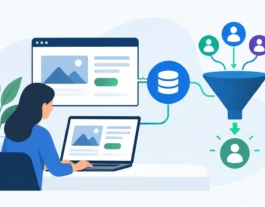
A website contact form should not create more admin for your team. It should give the right person the right information quickly, so they can follow up while a potential customer is still interested. CRM integration for websites connects those two parts of the process: the enquiry a visitor submits and the sales activity that follows.
For owner-managed businesses, this can make a meaningful difference. Enquiries are less likely to sit in an inbox, sales staff have a clearer view of each prospect, and management can see which marketing activity is actually producing revenue. The website stops being a standalone brochure and becomes a working part of your sales process.
Many businesses already use a customer relationship management system, whether that is HubSpot, Salesforce, Microsoft Dynamics, Zoho, Pipedrive or another platform. Yet their website may still send form submissions to a general email address, where messages can be missed, copied manually into a system or followed up inconsistently.
That gap costs time and can cost business. A visitor who has requested a quote, booked a consultation or downloaded useful information has shown clear interest. If their details reach the CRM immediately, your team can respond faster and with the relevant context. They can see the page the visitor used, the service they asked about and, where tracking is configured properly, the campaign or search term that brought them to the site.
The commercial benefit is not simply automation for its own sake. It is a more dependable route from marketing spend to a managed sales opportunity. This matters particularly where each new customer has a high value, such as professional services, construction, healthcare, B2B supply or specialist local services.
The right integration depends on how your business operates, but it should do more than transfer a name and email address. A well-planned connection captures useful information without making the visitor complete a lengthy form.
At a minimum, it should create or update a contact record, pass the enquiry details to the correct person or team, and record the source of the lead. It may also add a deal to your sales pipeline, apply a tag based on the service requested, start an appropriate follow-up task or notify the team through email or another internal system.
For example, a roofing company may need enquiries allocated by postcode and job type. A B2B consultancy might want website leads added to a pipeline with the visitor’s company size and requested service. An e-commerce business may focus on abandoned basket activity, customer support requests and repeat-purchase campaigns. One approach does not suit every business.
The key is to decide what your team needs to know to take the next useful action. Collecting every possible data point can reduce form completions and leave staff with information they do not use. A shorter, well-considered form will often generate better-quality enquiries than a form that feels like an application process.
Before choosing a connector, plug-in or custom solution, map out what happens when somebody gets in touch. This avoids a common mistake: building an integration that technically works but does not support the way your team sells.
Consider where leads currently arrive, who is responsible for making first contact and how quickly they should respond. Identify which enquiries are genuine sales opportunities, which are existing customer requests and which should be filtered out. It is also worth agreeing what counts as a qualified lead, because that definition affects reporting later.
A practical plan should cover four areas:
This process often reveals opportunities beyond the main contact form. A quote calculator, brochure download, callback request, event registration or appointment booking can all contribute valuable leads. If each route is measured consistently, you gain a more accurate picture of the website’s return on investment.
Some websites can use a standard integration supplied by the CRM or form provider. This is often a sensible option for straightforward forms and established platforms. It can be quicker to implement and easier for the business to maintain.
However, standard connectors have limits. They may not send all the information you require, handle duplicate contacts poorly or fit around a more detailed sales workflow. They can also become unreliable if several third-party plug-ins are trying to control the same data.
A custom integration is often more suitable when the website includes bespoke forms, customer portals, quotation systems, membership areas or complex e-commerce activity. It gives greater control over validation, data mapping, error handling and the precise rules for routing enquiries. The trade-off is that it requires proper scoping, development and ongoing technical support.
There is also a middle ground using automation platforms to connect systems without extensive custom coding. This can work well for smaller businesses with clear, simple processes. It should still be tested carefully, particularly if the flow affects paid leads, customer records or financial information.
A CRM is only useful when its records are accurate. Website integrations should check for obvious errors, prevent duplicate records where possible and ensure information is placed in the right fields. If a prospect submits an enquiry twice, for instance, the CRM should ideally update the existing record rather than create confusion for the sales team.
Consent is equally important. UK businesses need to be clear about how personal data will be used and store marketing preferences correctly. Someone requesting a quote may reasonably expect a reply about that request. That does not automatically mean they have agreed to ongoing promotional emails.
Your website forms should explain what will happen to submitted data, and the CRM should preserve relevant consent information. This protects the customer experience as well as supporting good data practices. It is worth involving whoever manages compliance or customer communications before the integration goes live.
Form completions are useful, but they are not the final measure of website performance. A campaign that produces 50 low-value enquiries may be less valuable than one that produces 10 enquiries which become profitable customers.
When your CRM is connected properly, you can assess the full journey. You can see which channels generate leads, how quickly those leads are contacted, which source produces the best conversion rate and what revenue follows. This helps you make more confident decisions about SEO, Google Ads, paid social activity and website improvements.
There is a limit to what can be attributed perfectly. Sales can involve phone calls, repeat visits, referrals and long decision-making periods. The aim is not to claim that every sale came from one click. It is to create reliable enough reporting to understand where your marketing budget is working hardest.
The most frequent issue is treating the connection as a one-off technical task. Integrations need testing before launch and checking afterwards. A website update, CRM field change or expired authentication can interrupt the flow without being immediately obvious.
Another mistake is sending every lead into the same queue. If an urgent service request, a careers enquiry and a supplier message are all treated as sales opportunities, the CRM becomes cluttered and response times suffer. Clear rules make the system more useful for everyone.
Finally, do not overlook the visitor experience. Forms should work well on mobile devices, provide clear confirmation and ask only for information that has a purpose. The most sophisticated CRM process will not help if potential customers abandon the form before submitting it.
The best CRM integration supports people rather than forcing them to work around software. It should make follow-up simpler, give managers useful visibility and help marketing activity produce measurable results. For businesses that need a bespoke website, tailored forms and ongoing digital marketing support, Npwebservices can help plan the website around those commercial goals from the outset.
A good place to begin is with one high-value customer journey, such as a quote request or consultation booking. Get that process working reliably, measure the results and then build on it. Each improvement should give your team a clearer route from a website visit to a valuable customer conversation.
